Notifications





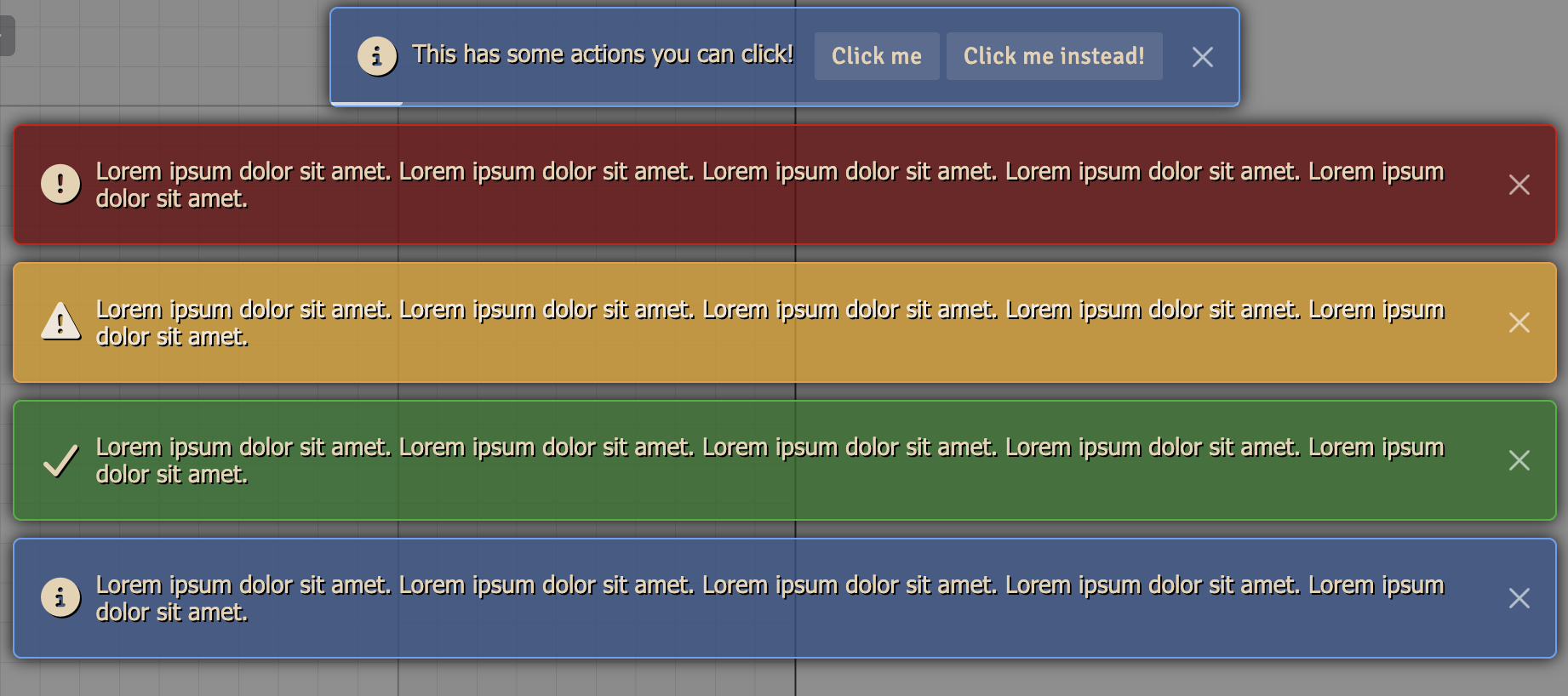
A FoundryVTT module that replaces and expands on the default notifications.
Overview
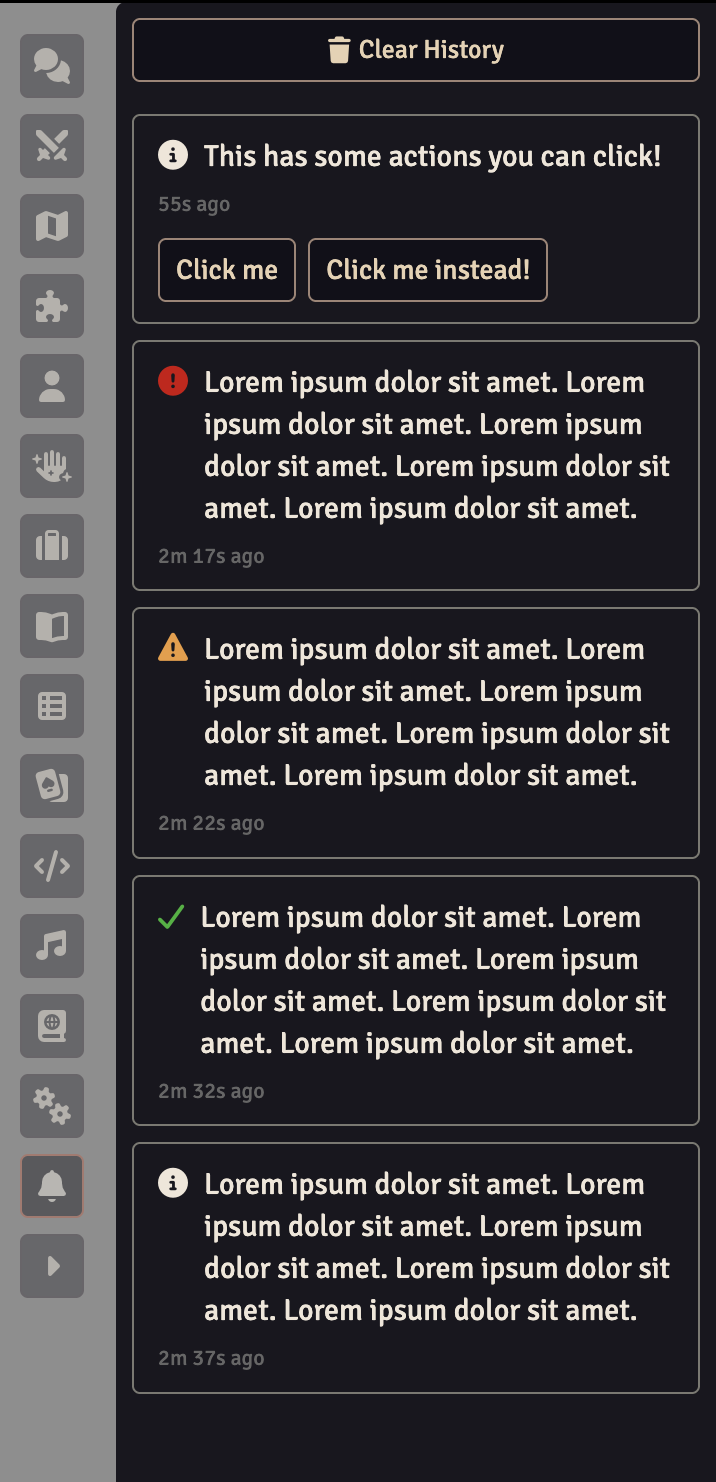
Notifications replaces Foundry's notification system, rendering everything raised by Foundry or by another module with no changes needed on their part. It adds two things the core system does not have: action buttons that run something when clicked, and a history of the session's notifications in a sidebar directory, so one that appeared while you were looking elsewhere can still be read and acted on.
Features
- Replaces the default notifications, so everything from Foundry and other modules is rendered by this module automatically
- Adds a notification history sidebar directory, so you can catch up on anything you missed while looking away
- Marks the sidebar tab with an unread indicator when something arrives while the history is not visible, which stays until you open it
- Mutes specific messages from the history, so repeated ones stop popping up but are still recorded
- Adds developer-defined action buttons to notifications, which remain usable from the history
- Supports everything the default notifications do, including permanent, progress, and localized messages
Settings
| Setting | Scope | Default | Description |
|---|---|---|---|
| Notification Position | Client | Top Center | Where notifications appear on screen: top left, top center, top right, center, bottom left, bottom center, or bottom right. |
| Maximum Notifications | Client | 5 | How many notifications can be shown at once, from 1 to 10. |
| Notification Duration | Client | 5 seconds | How long a notification stays on screen before dismissing itself, from 1 to 30 seconds. |
| Unread Indicator | Client | All Notifications | Which notifications put a dot on the sidebar tab when the history is not visible. |
Each position is offset so notifications stay clear of the sidebar, scene controls, and hotbar.
Unread Indicator accepts:
- All Notifications - any notification lights the dot
- Warnings and Errors - informational and success notifications are ignored
- Errors Only - only errors light the dot
- Never - the dot is disabled entirely
Raising Maximum Notifications only affects what is on screen. Anything beyond the limit is queued and shown as earlier notifications dismiss, but it still enters the history immediately, so nothing is ever missed because of the queue.
Notification Duration does not apply to permanent or progress notifications. Those stay until they are dismissed or complete.
API
The module exposes an API for developers and macro writers.
const { notifications } = game.modules.get("dfreds-notifications").api;
Displaying Notifications
The API mirrors the core notification methods, so anything valid for
ui.notifications is valid here.
notifications.info("An informational message");
notifications.warn("A warning message");
notifications.error("An error message");
notifications.success("A success message");

// Or specify the type directly
notifications.notify("An informational message", "info");
You do not have to use the API to raise a notification. Calling
ui.notifications.info("Hello") works exactly the same, because this module
replaces the core notifier. The API mainly exists to give Typescript projects
the correct types for the added options.
Action Buttons
Pass actions to add buttons to a notification. Each button runs its callback
when clicked, and dismisses the notification unless told otherwise.
notifications.warn("Your token was moved off the grid", {
  actions: [
    {
      label: "Jump to it",
      icon: "fa-solid fa-location-crosshairs",
      callback: () => canvas.tokens.get(tokenId)?.control(),
    },
    {
      label: "Remind me later",
      dismissOnClick: false,
      callback: () => console.log("Still showing"),
    },
  ],
});
Each action supports the following:
| Property | Type | Description |
|---|---|---|
label | string | The button label. Localize it before passing it in. |
icon | string | Optional Font Awesome icon class shown before the label. |
callback | function | Called with the toast element and the notification when clicked. |
dismissOnClick | boolean | Whether clicking dismisses the notification. Defaults to true. |
Actions are held in memory, which is what allows them to keep working from the history. They are not saved anywhere and do not carry across a reload or to other players.
Notification Options
All of the core notification options are supported.
| Option | Type | Description |
|---|---|---|
permanent | boolean | Display until dismissed rather than timing out. |
progress | boolean | Display a progress bar that can be updated. |
localize | boolean | Treat the message as a localization key. |
format | object | Values to interpolate into the localized message. |
console | boolean | Whether to also log to the console. Defaults to true. |
escape | boolean | Whether to escape the values of format. Defaults to true. |
clean | boolean | Whether to clean the message as untrusted input. Defaults to true. |
Progress Notifications
A progress notification stays on screen and can be updated as work completes. It dismisses itself shortly after reaching 100%.
const progress = notifications.info("Importing data", { progress: true });

progress.update({ pct: 0.5, message: "Halfway there" });
progress.update({ pct: 1, message: "Done!" });
Managing Notifications
const notification = notifications.info("Working", { permanent: true });

notifications.has(notification); // Whether it is still queued or displayed
notifications.remove(notification); // Dismiss it
notifications.clear(); // Dismiss everything currently shown
Reading the History
const api = game.modules.get("dfreds-notifications").api;

api.history; // Everything shown this session, oldest first
api.clearHistory(); // Empty the history
Each history entry contains the id, type, message, and timestamp of the
notification, along with any actions it was given. It also has muteKey, the
original message used to mute it, and notification, the notification object
itself.
Required Modules
- Lib: DFreds UI Extender by DFreds - A library that makes it easy to add new UI elements to Foundry
Recommended Modules
- libWrapper by ruipin - A library that wraps core Foundry methods to make it easier for module developers to add functionality. Note that if you for some reason don't want to install this, a shim will be used instead.